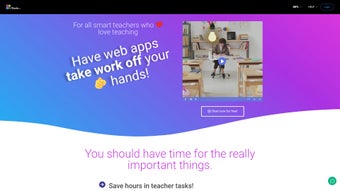

Download EdTools – Teacher productivity, classroom management software
Overview: Why EdTools Is a Game‑Changer for Modern Educators
EdTools.io is a cloud‑native platform engineered to streamline every facet of teacher productivity and classroom management. Since its launch on 2 November 2022, the service has grown into a subscription‑based ecosystem that unifies lesson planning, grading, attendance, parent communication, and data analytics under a single, secure URL. In today’s fast‑paced educational environment, teachers are forced to juggle multiple disconnected tools—spreadsheets for grades, separate email platforms for parent outreach, and isolated attendance systems—that create friction, increase administrative overhead, and ultimately detract from instructional time.
EdTools eliminates this fragmentation by offering a unified dashboard where teachers can monitor student progress, send bulk messages, schedule conferences, and generate real‑time reports without ever leaving the browser. The platform’s design emphasizes simplicity: drag‑and‑drop editors, one‑click attendance logging, and automated reminders keep teachers focused on pedagogy rather than paperwork. Continuous development cycles, informed by a global community of educators, ensure that new features such as AI‑assisted grading, virtual parent‑teacher meeting rooms, and advanced predictive analytics are rolled out seamlessly.
Whether you are a veteran teacher looking to modernize a decades‑old workflow or a newcomer seeking an all‑in‑one solution, EdTools provides a FERPA‑compliant, GDPR‑aligned environment that works on any device, making it a compelling choice for schools of any size. Its secure, cloud‑based architecture guarantees that data is always up‑to‑date, backed up, and accessible from any internet‑connected device, fostering collaboration between teachers, students, and parents alike.
Core Features That Boost Classroom Efficiency
- Unified Student & Parent Dashboards: Real‑time insights into grades, attendance, and upcoming assignments keep teachers, learners, and families aligned.
- Automated Communication Suite: Bulk email, SMS, and in‑app messaging with customizable templates for newsletters, meeting reminders, and progress reports.
- Smart Scheduling & Calendar Integration: Sync class periods, parent‑teacher conferences, and exam dates with Google Calendar or Outlook, reducing double‑booking errors.
- Assignment & Exam Tracker: Create, distribute, and collect assignments online; set automatic reminders for due dates and generate instant grade summaries.
- Attendance & Behaviour Log: Capture daily attendance with a few clicks and log behavioural incidents, all searchable by date, class, or student.
- Data‑Driven Analytics: Visual dashboards highlight trends in student performance, enabling early intervention for at‑risk learners.
- Secure Cloud Storage: All documents, communications, and student records are encrypted at rest and in transit, complying with FERPA and GDPR standards.
- Customizable Role Permissions: Administrators can define teacher, assistant, and parent access levels, ensuring each user sees only relevant data.
- Integrations with Learning Management Systems (LMS): Seamlessly connect EdTools with popular LMS platforms like Canvas, Moodle, or Google Classroom.
- Mobile‑Responsive Design: Access every feature from a desktop browser or a mobile device without needing a separate app download.
Each capability is built with usability in mind. The communication suite, for example, features a drag‑and‑drop editor that lets teachers craft visually appealing newsletters in minutes, while the analytics dashboard uses color‑coded heatmaps to instantly reveal concepts that need reteaching. Attendance can be logged via QR‑code scans, providing a contact‑free experience that saves seconds per student. By consolidating these tools under a single, secure URL, EdTools eliminates the need for teachers to manage multiple logins, reducing “login fatigue” and data silos. The platform’s commitment to regular updates means that cutting‑edge functionalities—such as AI‑driven grading suggestions, virtual whiteboard collaboration, and predictive student‑success alerts—are introduced without disrupting existing workflows, ensuring educators always have the most current toolkit at their fingertips.
Installation, Usage & Compatibility Across Devices
Because EdTools is entirely cloud‑based, there is no traditional installation process. Teachers simply need an internet‑connected device and a modern web browser. Getting started involves three straightforward steps:
- Create an Account: Visit EdTools.io, click “Sign Up,” enter a school‑issued email address, set a strong password, and verify the account via the confirmation link.
- Select a Subscription Plan: Choose between the “Basic Teacher” (single‑user) or “School License” (multi‑user) plans. All plans include a 14‑day free trial, allowing educators to explore the full feature set before committing.
- Configure Your Classroom: Use the onboarding wizard to import class rosters (CSV, Google Sheets, or direct LMS sync), add parent contacts, and customize dashboard widgets to match teaching preferences.
Once configured, EdTools can be accessed from any up‑to‑date browser—Chrome, Firefox, Safari, or Edge—on Windows 10/11, macOS Catalina (10.15) or later, Linux distributions with recent browsers, and ChromeOS. The platform is fully responsive, meaning tablets and smartphones (iOS 13+ or Android 8+) display the same functionality without sacrificing performance. Because all data lives in the cloud, teachers benefit from automatic updates and zero‑maintenance patches; there is no need to download patches or worry about version conflicts.
Supported operating systems include:
- Windows 10, Windows 11
- macOS 10.15 (Catalina) and later
- Linux (Ubuntu, Fedora, etc.) with recent browsers
- iOS 13+, iPadOS 13+
- Android 8.0 (Oreo) and later
For schools with strict network policies, EdTools offers a self‑hosted option on private cloud infrastructure (AWS, Azure, or Google Cloud). This deployment mirrors the SaaS feature set while giving IT administrators full control over data residency and firewall rules. Comprehensive documentation, video tutorials, and 24/7 live chat support are available within the Help Center, ensuring that both tech‑savvy and less‑experienced educators can adopt the platform with confidence.
Pros, Cons, FAQ & Conclusion
Pros
- All‑in‑one solution reduces the need for multiple separate apps.
- Secure, FERPA‑compliant cloud storage protects student data.
- Highly customizable dashboards tailor information to each stakeholder.
- Robust integration ecosystem (LMS, calendar, email services).
- Responsive design works flawlessly on desktops, tablets, and phones.
- Continuous updates introduce AI‑driven insights without extra cost.
Cons
- Requires a reliable internet connection; offline mode is limited.
- Subscription pricing may be a hurdle for under‑funded schools.
- Initial onboarding can be time‑intensive for large districts.
- Advanced analytics may have a learning curve for non‑tech‑savvy teachers.
Frequently Asked Questions
Is EdTools free to use?
EdTools offers a 14‑day free trial for all subscription tiers. After the trial, a paid plan is required, but schools can choose between monthly or annual billing to suit their budget.
Can I export student data for reporting?
Yes. EdTools provides CSV and PDF export options for grades, attendance logs, and communication histories, making it easy to generate district‑level reports.
How does EdTools ensure data security?
All data is encrypted in transit (TLS 1.3) and at rest (AES‑256). The platform complies with FERPA, GDPR, and ISO 27001 standards, and offers role‑based access controls to limit data exposure.
Is there a mobile app for iOS or Android?
While EdTools is web‑based, its responsive design works seamlessly on iOS and Android browsers. A native app is planned for 2025 to provide push notifications and offline caching.
Can EdTools integrate with my existing LMS?
Yes. EdTools offers native connectors for Canvas, Moodle, Google Classroom, and can also use LTI 1.3 standards for custom LMS integrations.
Conclusion: Is EdTools the Right Choice for Your School?
EdTools stands out as a comprehensive, secure, and future‑ready platform that directly addresses the pain points of modern teachers. By centralizing communication, scheduling, grading, and analytics, it eliminates the endless toggling between disparate tools—a common source of inefficiency in today’s classrooms. The subscription model, while an added cost, brings continuous improvements, dedicated support, and a roadmap that includes AI‑enhanced grading and native mobile apps. For schools that prioritize data security, parental engagement, and a unified digital ecosystem, the benefits far outweigh the modest drawbacks of requiring an internet connection and an initial onboarding investment.
If you’re ready to reclaim valuable teaching time and empower both students and parents with transparent, real‑time information, download EdTools today and start your free trial. Experience a smoother workflow, higher student engagement, and a more collaborative classroom environment—all from a single, secure web portal.



.png)



